

Path of Exile players often rely on Path of Building (PoB) to plan and optimize their builds. PoE Source offers seamless integration with PoB imports, letting you save, compare, and link builds to your campaign characters directly on the site. This guide walks through using the `/tools/pob-import` and `/builds` features effectively for both PoE 1 and PoE 2 players.
Introduction to PoB Imports on PoE Source
PoE Source supports importing your PoB export codes to instantly visualize skill trees, gear, and passive setups. Once imported, builds can be saved under your account, making it easier to revisit and share them. This integration bridges offline planning with online tracking and community features.
How to Use /tools/pob-import Effectively
To start, copy your build’s export string from Path of Building and paste it into the `/tools/pob-import` page on PoE Source. The tool parses your tree, jewels, and skill setups, displaying them in an interactive viewer.
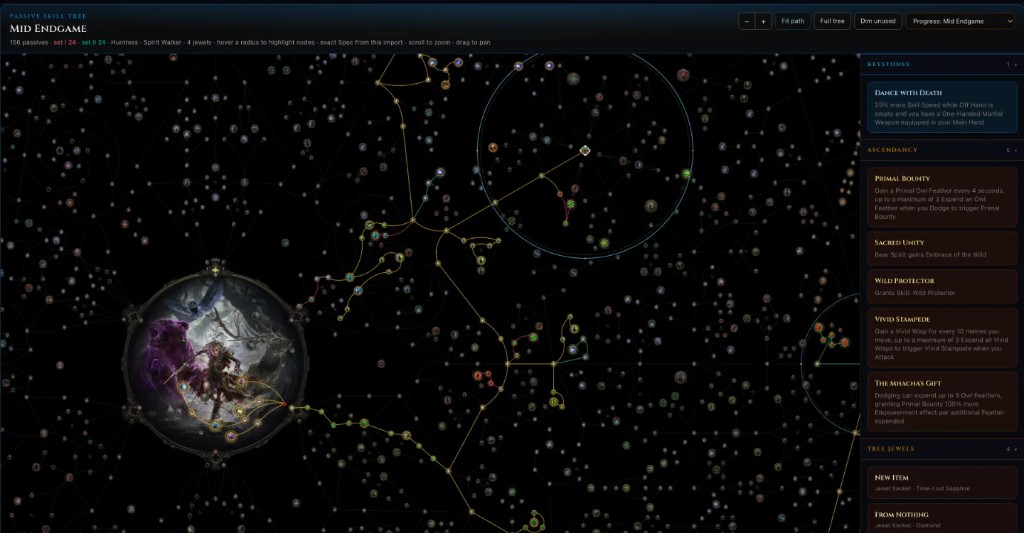
From here, you can:
- Preview your build’s passive tree and gear.
- Adjust the tree or skills quickly without leaving the site.
- Save the build to your PoE Source profile for future access.
Pro tip: Use the import tool to experiment with minor tree tweaks or gear swaps before updating your offline PoB file.
Managing and Comparing Builds in /builds
Your saved builds appear under `/builds` where you can organize them by character or playstyle. This page allows side-by-side comparison of multiple builds, highlighting differences in passive points, keystones, and gear.
Comparisons help decide which version suits your current campaign progress or endgame goals. You can also export updated PoB codes from saved builds after online edits, maintaining sync between offline and online versions.
Linking Builds to Campaign Characters
One of PoE Source’s useful features is linking builds directly to your campaign characters. When you associate a build with a character, you can track your progression with that setup and switch builds as you level or respec.
This connection is especially handy for planning transitions — for example, moving from a leveling skill tree to a late-game bossing build. Access your character’s linked builds anytime on their profile page.
Tips for Both PoE 1 and PoE 2 Players
- Both games’ PoB exports work similarly on PoE Source, so you don’t need separate workflows.
- Save multiple versions as you progress through Acts or leagues.
- Use the compare feature to evaluate minor passive point changes or jewel swaps.
- Keep builds linked to characters for quick reference during campaign play.
Common Issues and Troubleshooting
If your PoB import fails or shows errors:
- Ensure your export string is copied fully and correctly.
- Verify you are using a compatible PoB version (latest recommended).
- Clear browser cache or try a different browser if the import interface is unresponsive.
- Check for PoB updates or community notes on format changes.
If problems persist, the PoE Source Discord and forums are good places to seek help.
---
Summarized for PoE Source; see official sources for full details.
Sources: None provided.
On PoE Source: - Import a Build - Builds Management - PoE 1 Campaign Guide - PoE 2 Campaign Guide
This post was drafted with AI assistance and reviewed before publication. Summarized for PoE Source — see official sources for full details.