Path of Exile 2 leaves Early Access on December 11 (PST) and becomes free-to-play. GGG hasn't posted the 1.0 patch notes yet. Until then, this is a good week to set up a build, try the tools, and know where everything is on launch day. Everything here is free and works signed out.
Start from a build
- Start a build takes a creator guide, a Path of Building code, a pobb.in link or a Build Planner file, or lets you plan your own.
- It saves the build and a character to play it. Run mode then follows that character.
- On any build, the Upgrades tab finds the best next passives and support gems with Path of Building's own maths.
Make the gear
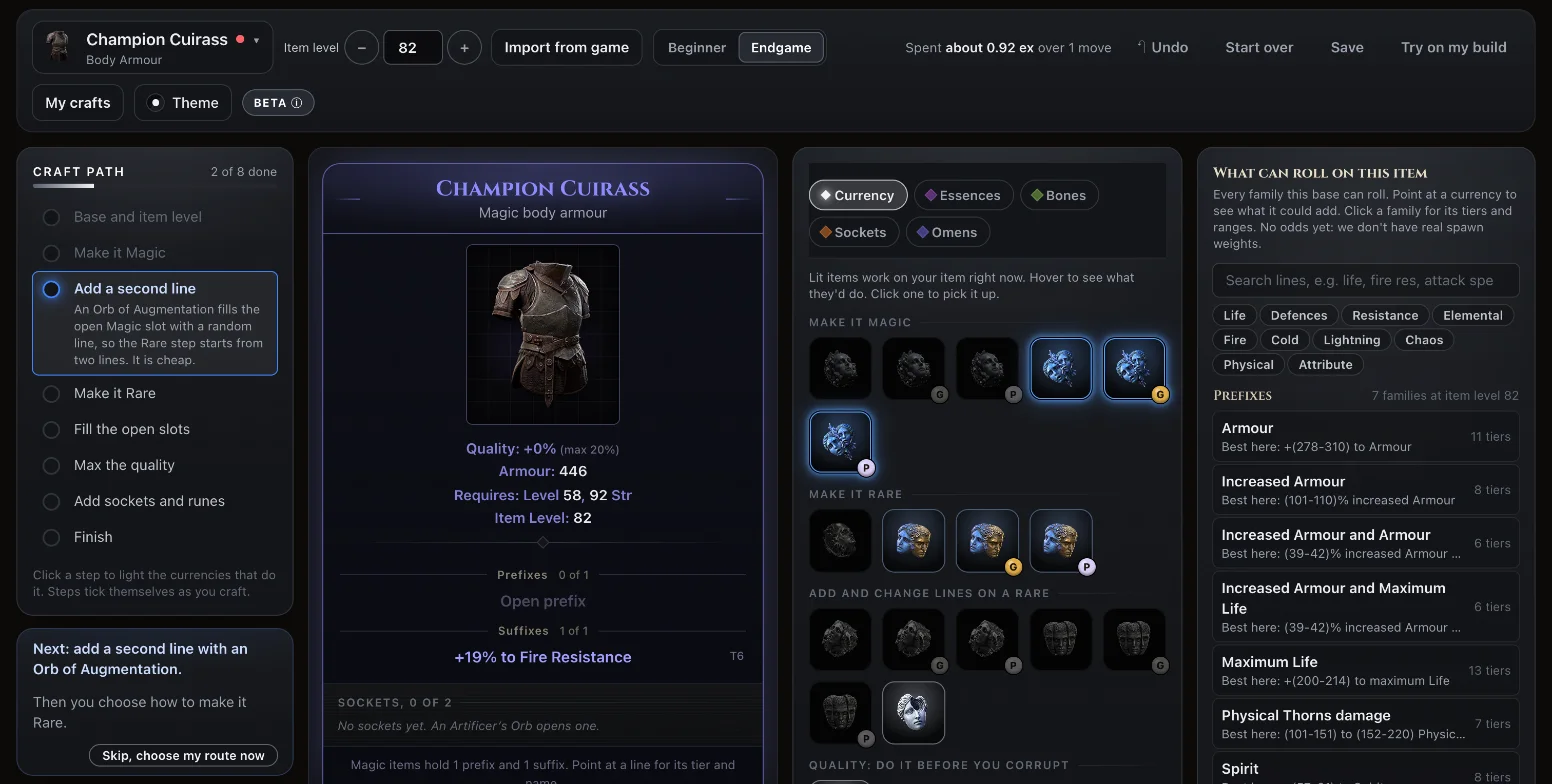
- Every rare or magic gear item on a build has a Craft button that opens the craft bench on that base and item level.
- Pick up a currency and click the item, like in the game.
- Try on my build shows what your crafted item changes on a saved build, before you make it in game: DPS, life and resistances.
Search vendors and your stash
- Each build has a Regex tab: vendor search strings for every stage's gear, one click to the Regex Builder to change them.
- The Regex Builder also covers Waystones, Tablets and Relics. Saved searches show in Run mode, ready to copy.
Play with Run mode
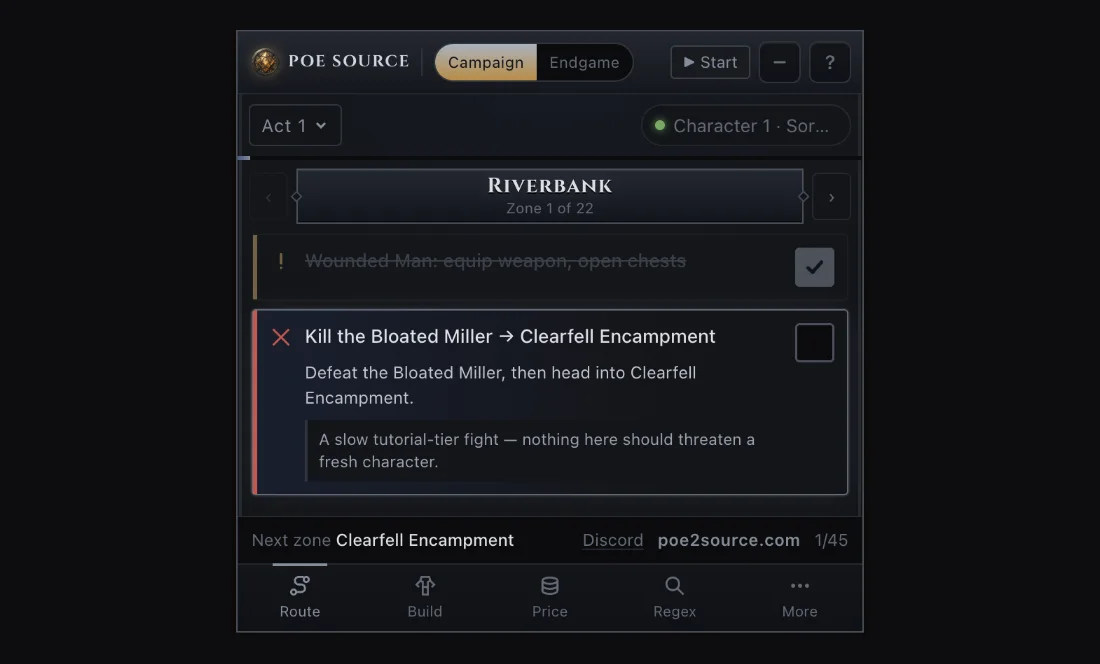
- Run mode is a small panel beside the game, or on your phone: the campaign route, an act timer, a price check and your searches.
- New this week: a Build tab with your build's gear stage by stage, and the build's vendor strings in the Regex tab.
- When you finish the campaign, it points you to the Endgame map, the Atlas planner and your Waystone search.
On launch day
- The site shows an "Updating for 1.0" banner listing each tool as it's rebuilt for the new game data.
- Build guides and tools say which patch they were made for. Anything made for 0.5 is labelled until it's updated.
- We'll post a summary of the 1.0 patch notes here once GGG publishes them.
On PoE Source
- Your PoE 2 toolkit: what each tool does and hands to the next
- Start a build
- Craft bench
- Path of Exile 2 Full Release: everything GGG has confirmed
This post was drafted with AI assistance and reviewed before publication. Summarized for PoE Source — see official sources for full details.