
PoE 2 · free, nothing to install
Your PoE 2 toolkit
Eight tools that pass work to each other. Pick a build once, and its gear, crafts and searches follow you into Run mode while you play.
What goes where
Each line is a button on the first tool that opens or fills the second one. Nothing to copy by hand.
Start a build→Build guide · Run mode
Your saved build, and a character that follows it
Build guide→Craft bench
A gear item's base and item level (Craft on the item)
Craft bench→Saved build
Try on my build: what the item changes, before you make it
Build guide→Regex Builder
Vendor strings for each stage's gear, ready to edit and save
Saved build→Run mode
The build's vendor strings in the Regex tab, stage by stage
Regex Builder→Run mode
Every saved search, ready to copy
Endgame map→Atlas planner
Your Masters picks and the storyline's tree
Economy→Craft bench
The crafting basket, one click to the bench
The tools
What each one does, what it takes in and what it hands on. Most pages also have a ? with a short tour.
Start a build
A few steps from nothing to a saved build and a character playing it.
- Takes in
- A creator guide, a Path of Building code or pobb.in link, a Build Planner file, or your own plan from the class select.
- Hands on
- Your saved build, and a character that Run mode follows.
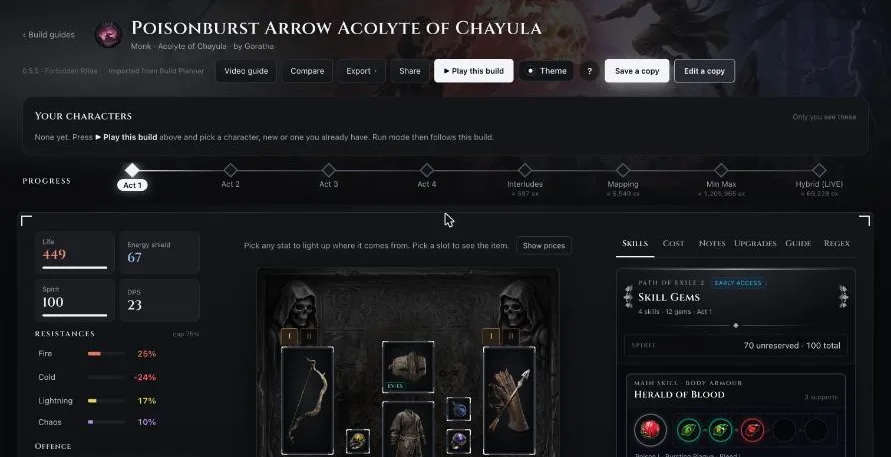
Build guide
A build stage by stage: tree, gear, skill gems, the creator's notes and costs. The Upgrades tab finds the best next passives and support gems.
- Takes in
- A creator guide, or your own saved build.
- Hands on
- A gear item's Craft button opens the craft bench on that base. The Regex tab's strings open in the Regex Builder. Play this build sends it to Run mode.
Craft bench
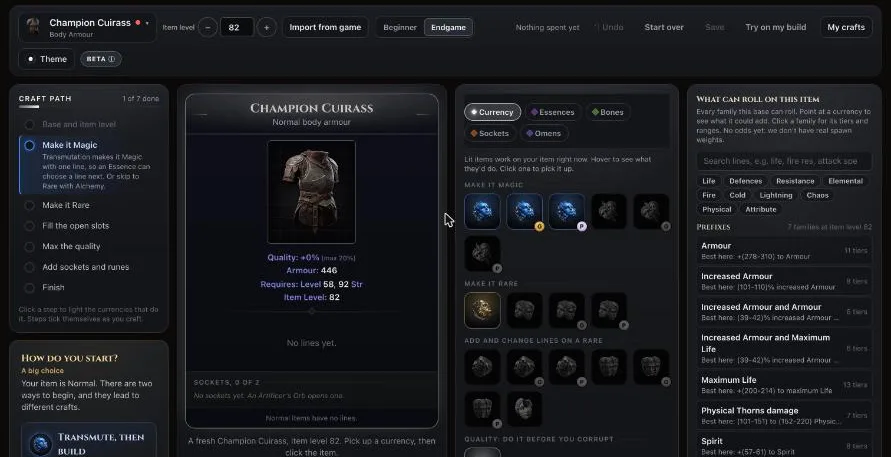
Pick up a currency and click the item, like in the game. Real prefixes, tiers, Essences, Omens and live prices.
- Takes in
- A base and item level from your build's gear, an item you paste from the game, or a base you pick.
- Hands on
- Try on my build shows what the item changes on a saved build: DPS, life, resistances. My crafts keeps it, with a share link.
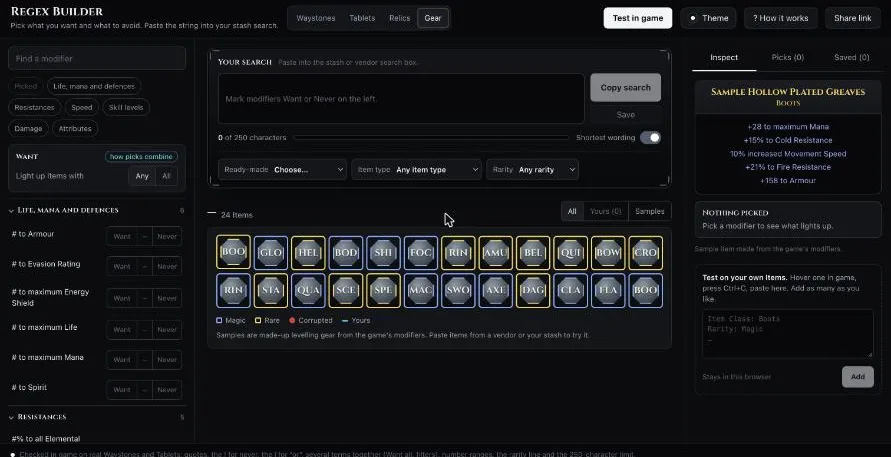
Regex Builder
Search strings for Waystones, Tablets, Relics and vendor or stash gear, with a preview of what lights up.
- Takes in
- Your picks, or a string from your build's Regex tab.
- Hands on
- Saved searches show in Run mode's Regex tab, one tap to copy while you play.
Economy
Live prices from poe.ninja in Chaos, Exalted or Divine, with this week's movers and a watchlist.
- Takes in
- Nothing: pick a category or search an item.
- Hands on
- The crafting basket opens the craft bench. Run mode's Price tab checks an item you copy in game.
Endgame map
Each endgame storyline on one map: what it is, how to start it and the Masters of the Atlas.
- Takes in
- Nothing: open a storyline.
- Hands on
- Your Masters picks and the Atlas tree open in the Atlas planner.
Atlas planner
Plan your Atlas passive points, then save and share the tree.
- Takes in
- Masters picks from the Endgame map, a shared link or your saved trees.
- Hands on
- A share link, and your saved trees in My Atlas trees.
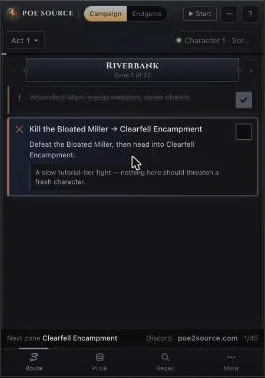
Run mode
A small panel beside the game, or on your phone: the campaign route, an act timer, a price check and your searches.
- Takes in
- The character you play, its build's vendor strings and your saved searches.
- Hands on
- Nothing new to set up: it is where everything ends up while you play.



Getting ready for 1.0
Path of Exile 2 1.0 launches on December 11. Every tool here is updated from the patch notes and the new game data, and each one says which patch it was made for.
Read the 1.0 news →Unofficial fan site, not affiliated with Grinding Gear Games.